Getting Your PayPal REST API keys
Xagle uses PayPal’s REST API (not the legacy NVP/SOAP integration). You need a Client ID and Secret from the PayPal Developer portal.
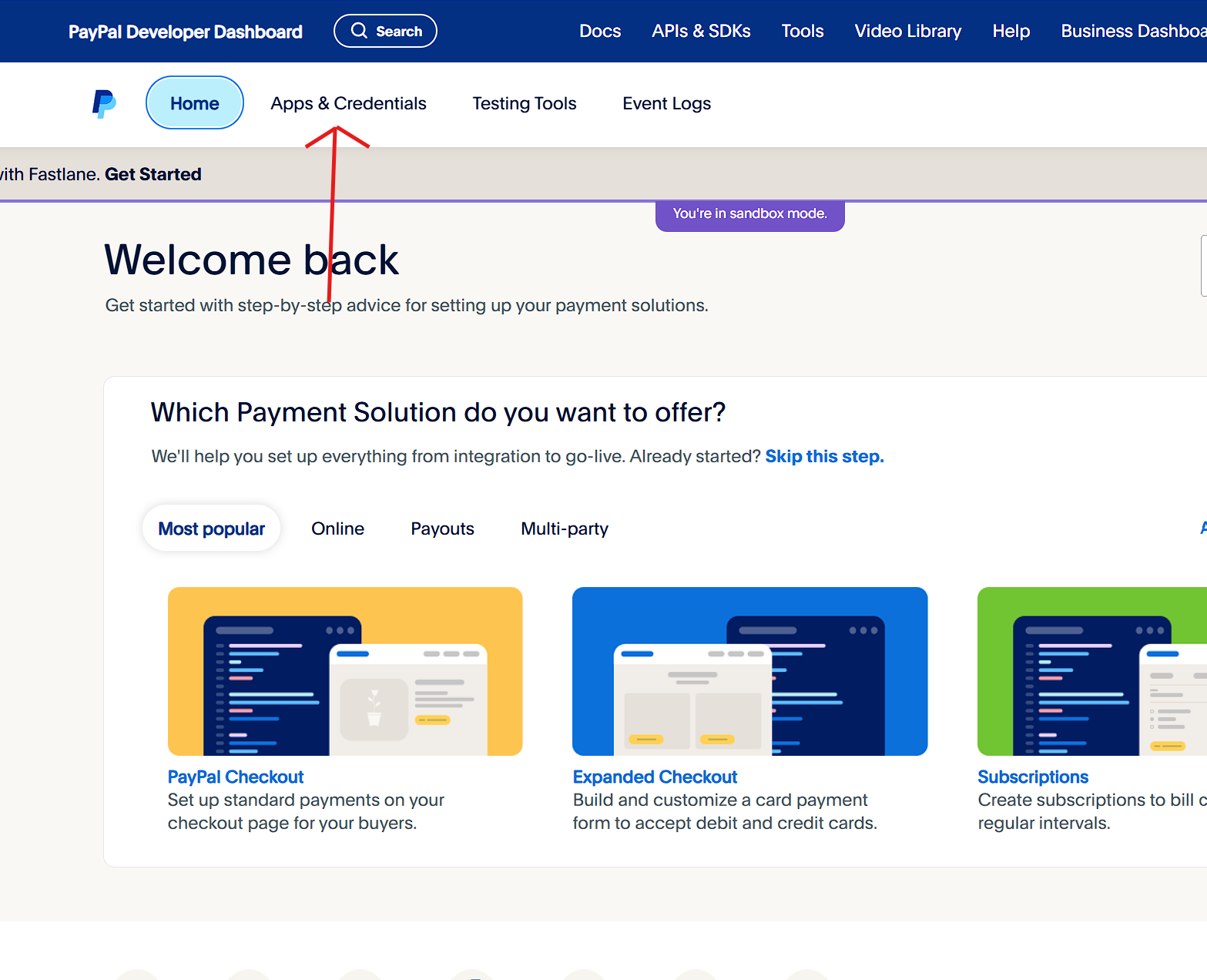
- Log in to the PayPal Developer portal with your PayPal account.
- Open Apps & Credentials (wording may vary slightly in the current PayPal UI).
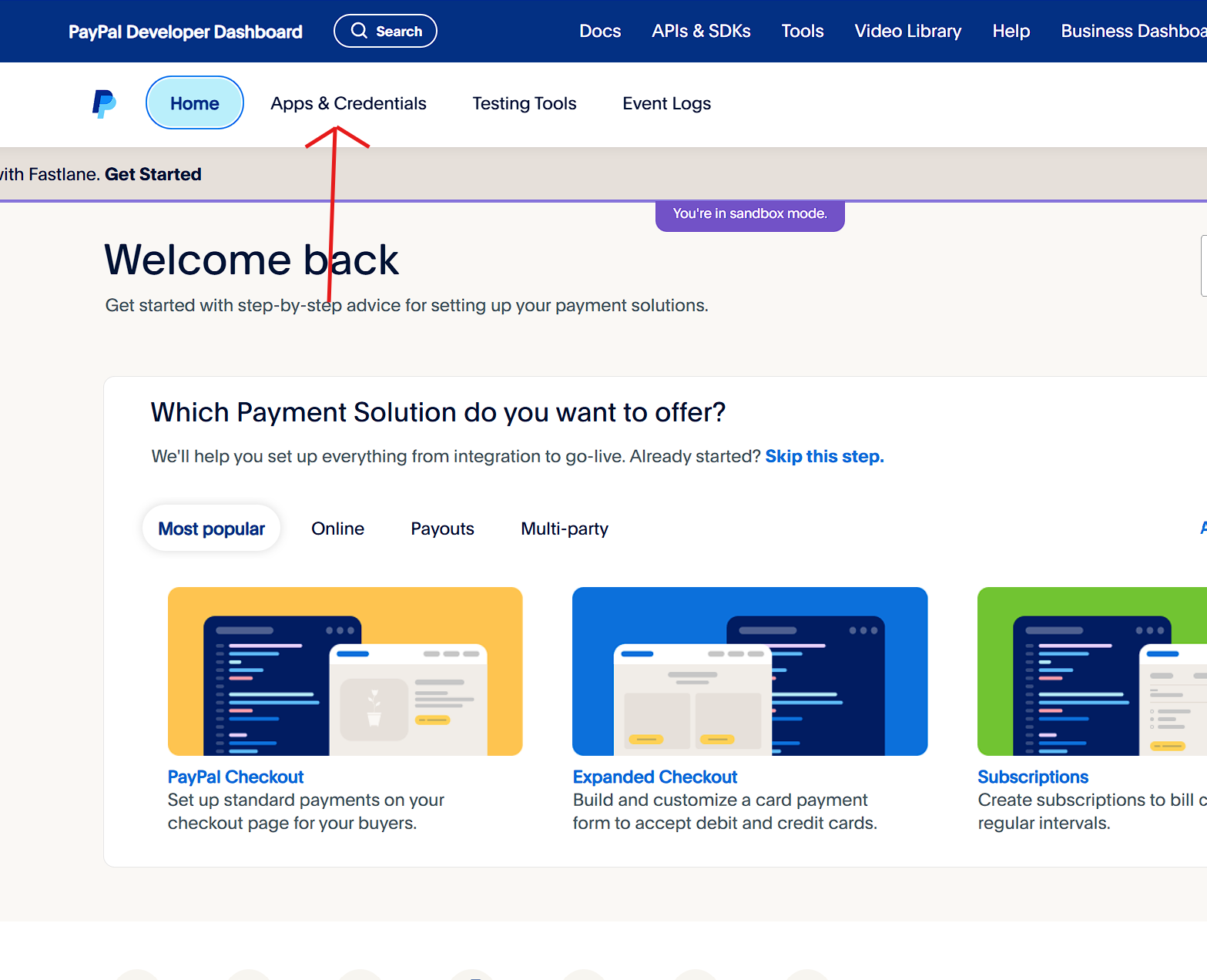
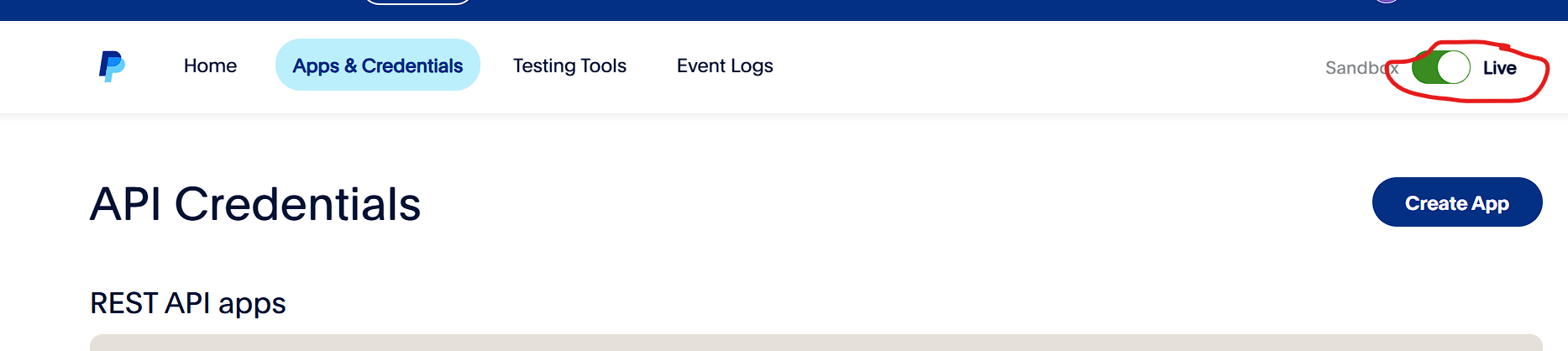
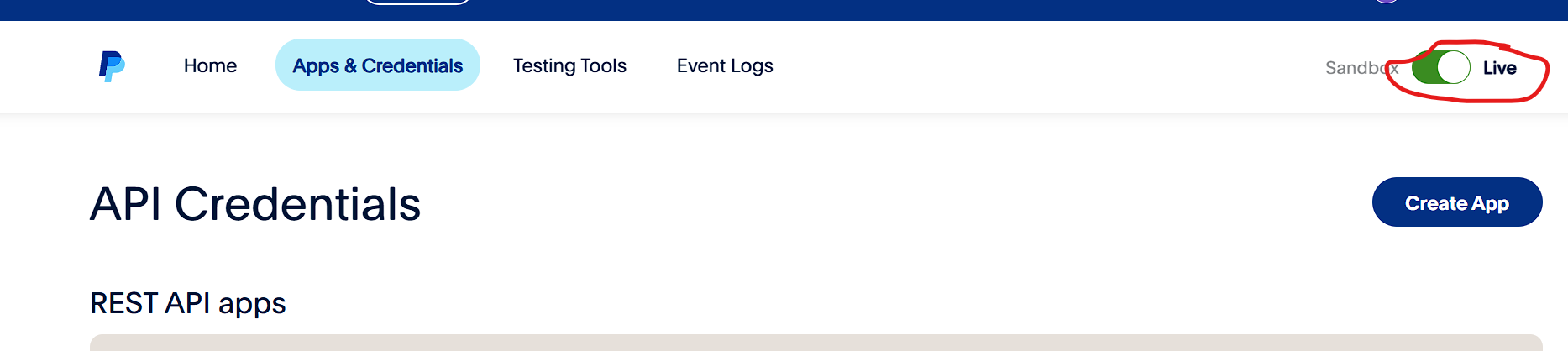
- For production, select Live at the top of the Developer site (use Sandbox only for testing).
-
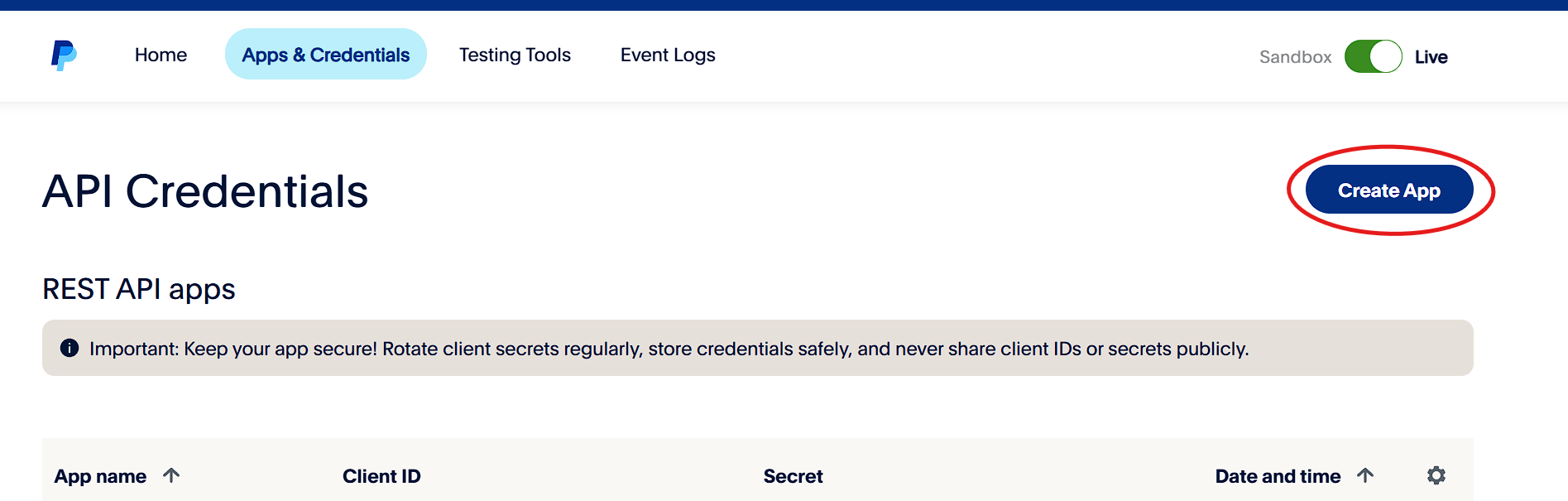
- Click Create App, name it, choose the app type your account requires, and create it.
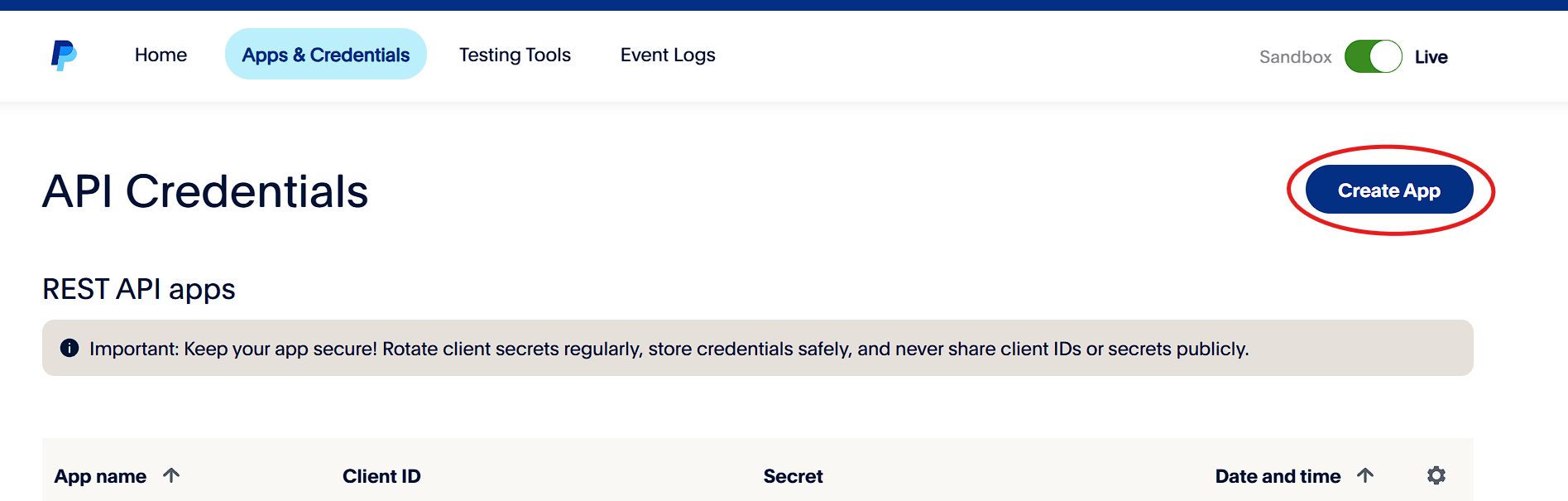
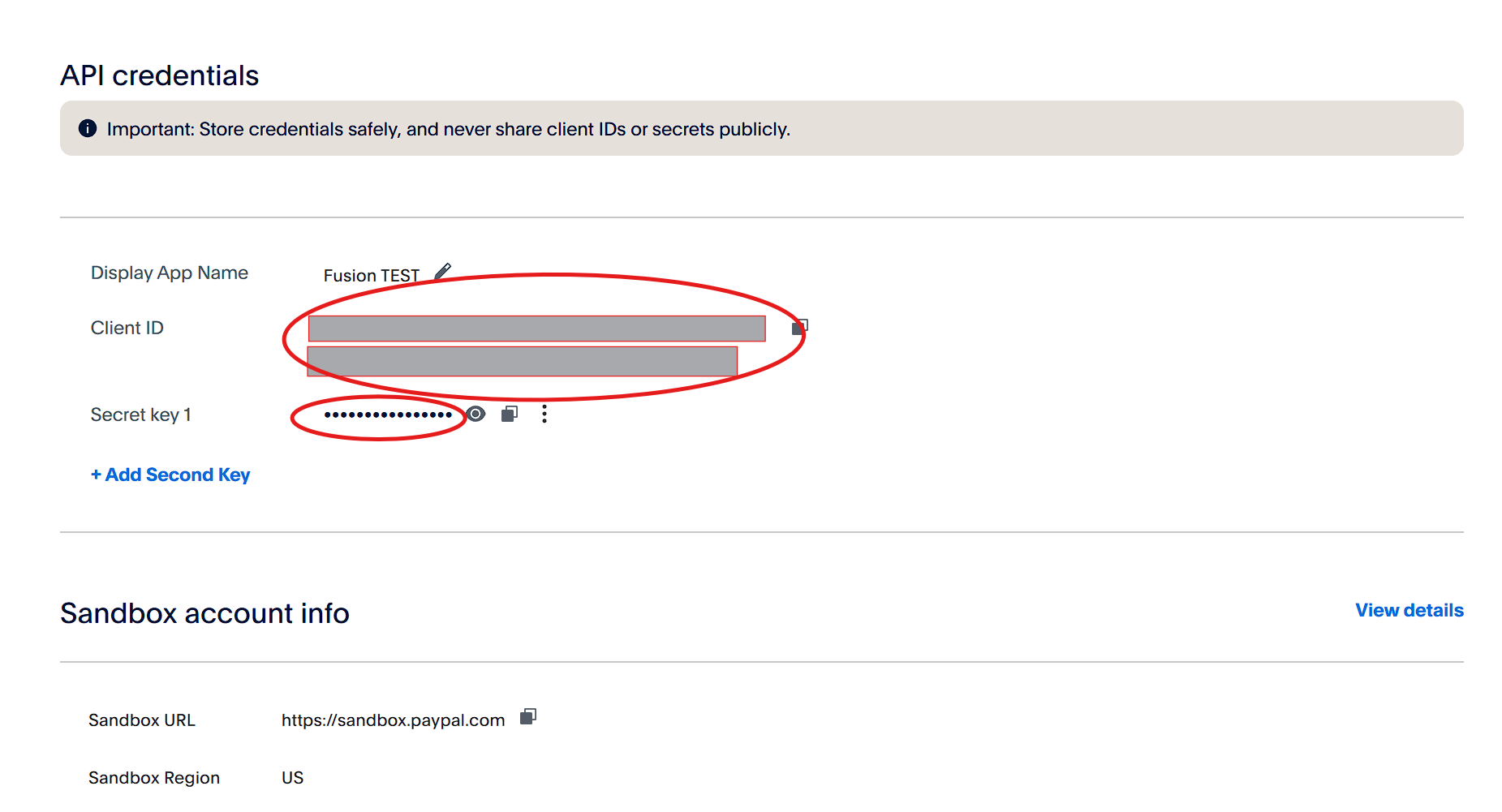
- Copy the Client ID and Secret for the environment you are using (Sandbox or Live).
- In Xagle, go to gear → Configuration → System Settings → Online Payments → Online Payment Processors, paste the credentials into the PayPal card, choose Mode (Sandbox or Live) to match, and save.