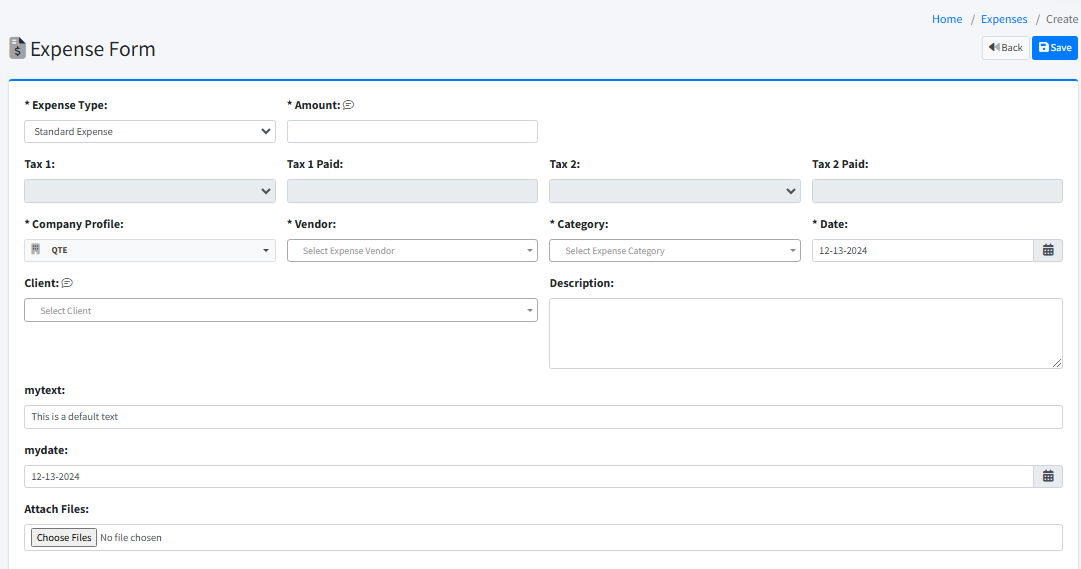
Entering an Expense
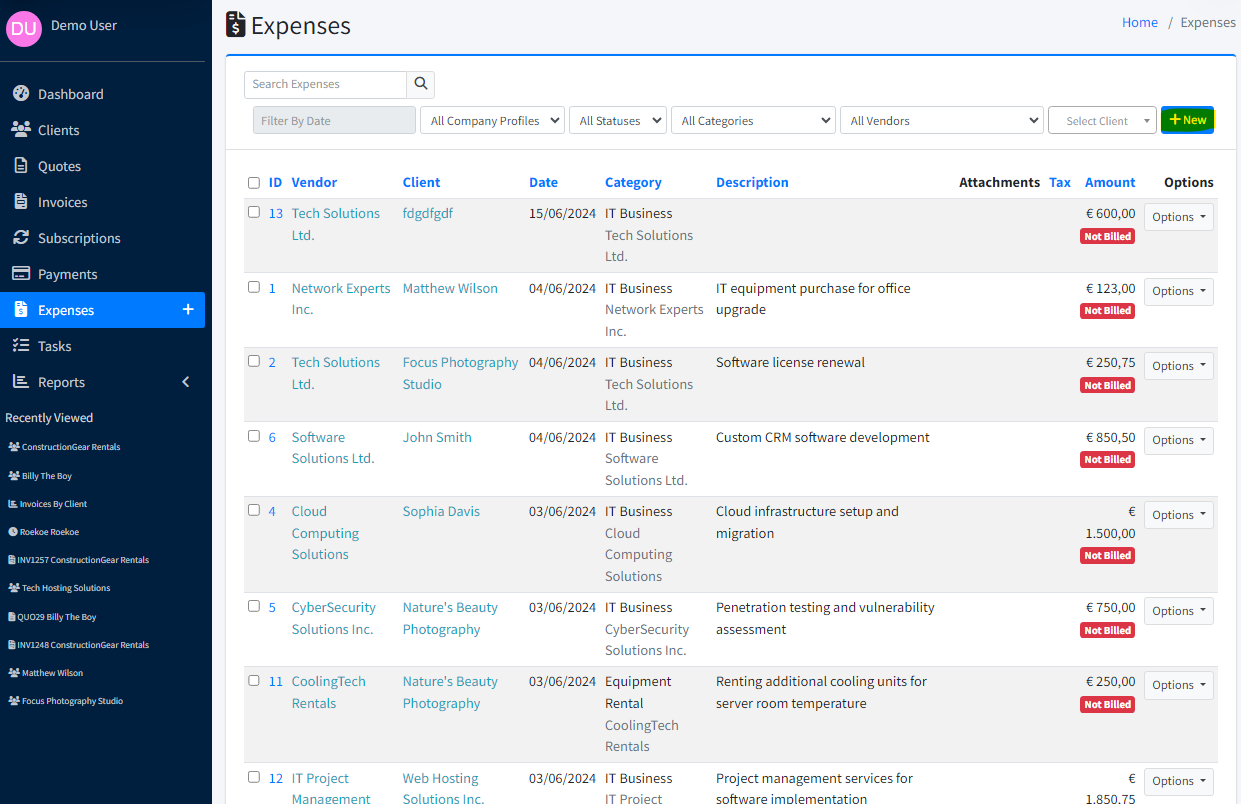
Open Expenses in the sidebar (under Payments). Stay on the Expenses tab and click New.
Set Expense Type, Company Profile, and Date as needed for the transaction.
Choose Category and Vendor (required). Select existing entries or type to add new ones.
Enter the Amount (use the calculator icon if helpful).
Optionally set Payment Method and Payment Method Detail to record how you paid.
If the expense is billable to a client, select the Client so you can add it to an invoice later.
Optionally enter a Description.
Optionally add Attach Files or an Attach Link for supporting documents.
Click Save.