
Billing an Expense to the Client
On Expenses, find a billable expense that is not yet billed. Open the row Options menu and choose Bill This Expense.
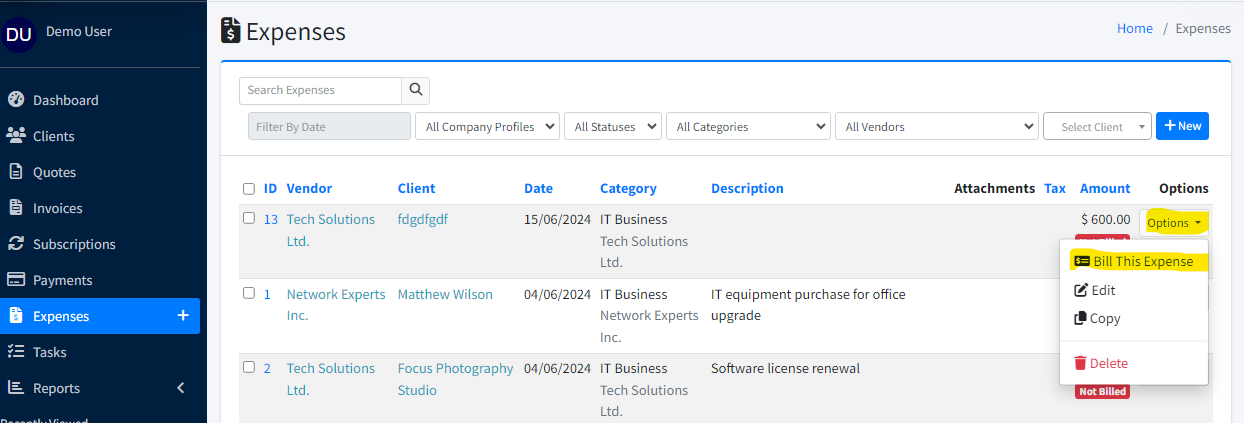
In the modal, choose Existing Invoice and select an open invoice, or choose New Invoice to create a draft invoice for the client.
Enter Item Name and optional Item Description — these appear as the line item on the invoice.
If you chose New Invoice, Xagle creates the draft; you can edit it afterward like any invoice.
Click Submit. The expense is marked billed and linked to that invoice.
